Product Photography
Hero, catalogue, macro and styled shots — organised by jewellery, bangles, handbags, skincare, cosmetics, perfume and general products.
GEHNA OFFICIAL · Digital ebook
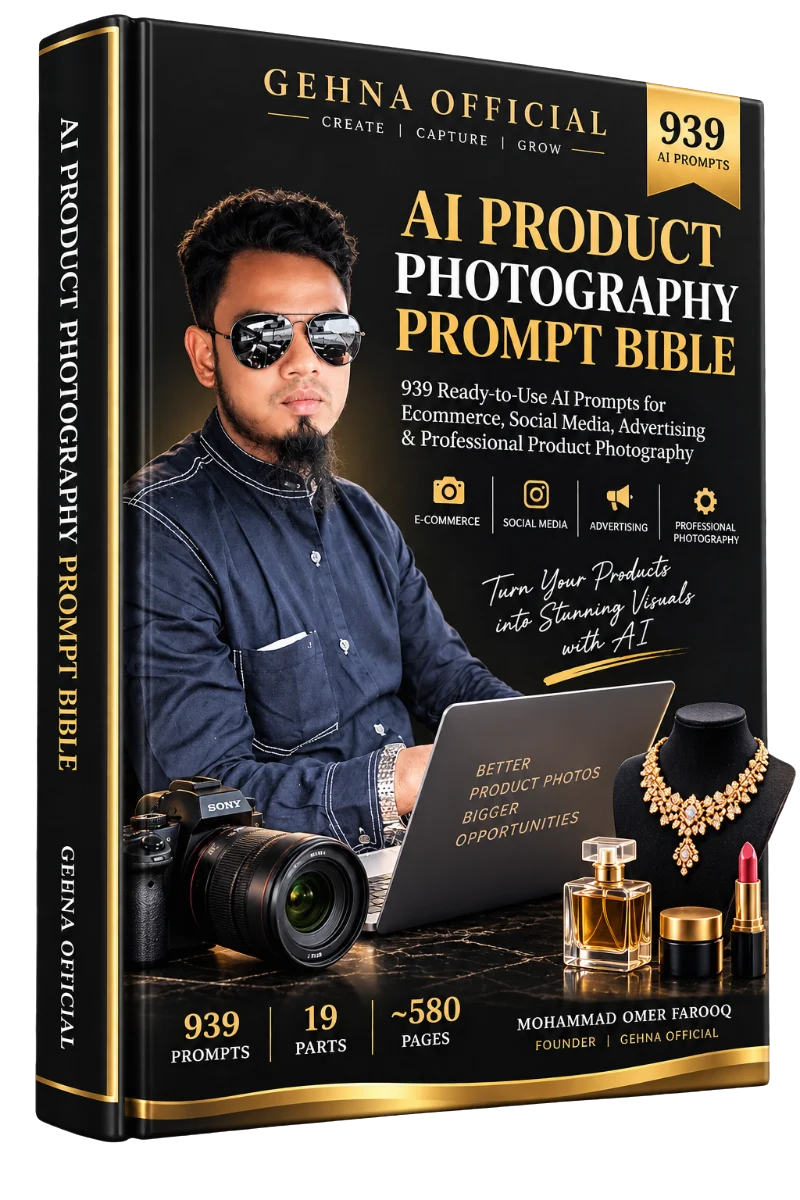
939 ready-to-use AI prompts for Ecommerce, Social Media, Advertising & Professional Product Photography
₹999Regular price ₹1,999
The problem
In ecommerce and social media, the product photo is often the first — and only — impression a buyer gets before deciding to click, save, or buy.
Studio, photographer, lighting, props, models — hard to repeat for a large or frequently changing catalogue.
Main listing photos, lifestyle images, social posts, ads and detail shots — each with its own format and aspect ratio.
Stones added or removed, colours shifted, logos blurred, labels garbled — a failed generation even when the photo looks attractive.
Random prompts aren’t organised by product category, purpose or platform — and don’t protect the product.
Without targeted correction prompts, most people discard a good image and start over from a blank prompt.
Without a numbered system and a finder, a large library quickly becomes impossible to navigate.
A balanced view: AI product photography does not replace a professional shoot when one is affordable and appropriate. It gives you a practical way to produce consistent, professional-looking images without booking a new shoot for every product or variant.
Part 2 · The Product Preservation System
The single most important principle in the book: the AI should transform the photography, not the product. Every prompt carries preservation language written around this rule.
The product
Every prompt tells the AI to keep these exactly as shown in your uploaded photo.
The presentation
Choose freely — this is what each prompt transforms.
Always check AI output against your original product photo. Preservation instructions reduce the risk of changes — they don’t eliminate it. That’s why the book includes this checklist and a dedicated correction library.
One photo, many presentations
A clear, well-lit, colour-accurate photo of the actual product — full product visible, no heavy filters or watermarks. It stays the source of truth.
PROMPT #001
“Using the uploaded jewellery photo as the exact product reference, keep the jewellery’s design, shape, proportions, colour, metal finish, and every stone… exactly as shown…”
#001#002#289#440#498Illustrative workflow. Results vary by AI tool, model and settings — every output should be checked against the original product.
What you get
Every part has a specific job. Here’s what each one helps you do.
Hero, catalogue, macro and styled shots — organised by jewellery, bangles, handbags, skincare, cosmetics, perfume and general products.
Create model-based product presentations, with anatomy and natural-placement instructions built in.
Create structured product-image concepts for online listings — main heroes, catalogue images and complete listing sets.
Generate different presentation directions for feeds, stories, reels and platform content.
Develop multiple creative photography directions for campaigns, with space reserved for your own ad copy.
Dedicated creator and UGC-style content prompts.
Repair a specific AI-generated product error — like a missing stone — instead of starting from scratch.
Attach reusable blocks before generating to guard colour, jewellery, anatomy, packaging and more.
Build a new prompt from modules when no existing prompt fits your need.
Diagnose common generation problems and get routed to the right part of the book.
How the system works
Four working parts fit together as a simple loop. In practice, most work only needs CREATE — and, when useful, PROTECT.
Construct a new prompt from modules — only when nothing in Parts 4–14 fits.
Attach the relevant protection blocks before generating.
Generate using a finished prompt from the relevant library.
Fix one specific, identified error in an already-generated image.
The prompt registry
PROMPT #001→toPROMPT #939
Every prompt has one permanent number, assigned once and never reused — running continuously across all parts. That’s what lets Part 15 correct a specific error, Part 16 protect against it, and Part 18 route you to the exact resource.
Product categories
Part 4 organises 288 core prompts by product category — genuinely different photographic objectives, not the same prompt with a new background.
Parts 5–18 add hundreds more prompts, many written to adapt automatically to any product category.
Use cases
Inside the book
Each layer has a different job — so you always know where to go: learn the system, pick a finished prompt, refine the technique, or fix a problem.
The principle, the preservation checklist and the basic workflow.
Copy, paste and generate — organised by product, model use, ecommerce, social and advertising.
Libraries that combine with any product — plus dedicated creator and UGC-style content.
Prevent errors, correct them, build new prompts, and diagnose what went wrong.
Quick start, navigation map, checklists, responsible use and more.
Examples from the book
Excerpts taken word-for-word from the ebook, shortened for this page.
COPY PROMPT
Using the uploaded jewellery photo as the exact product reference, keep the jewellery’s design, shape, proportions, colour, metal finish, and every stone, bead, pearl, pattern, engraving, and construction detail exactly as shown… Place the necklace centred and fully laid out on a glossy black acrylic surface that creates a soft, controlled mirror reflection directly beneath the piece…
Full prompt available inside the ebook.
COPY PROMPT
Using the uploaded jewellery photo as the exact product reference… Do not redesign, resize, recolour, duplicate, add to, or remove any part of the jewellery. Lay the necklace flat and fully open on a seamless pure white background, centred in frame… Shoot directly from above at 90 degrees for a flat, symmetrical, catalogue-standard composition…
Full prompt available inside the ebook.
COPY PROMPT
Using the uploaded jewellery photo as the exact product reference… Arrange the complete bridal set — necklace, earrings, and any additional pieces such as maang tikka or bangles — in a grand, symmetrical layout on a rich, deep-toned fabric background such as maroon or emerald velvet…
Full prompt available inside the ebook.
COPY PROMPT
Using the uploaded jewellery photo as the exact product reference… Render correct, natural anatomy — accurate hands with five fingers each, natural joint and finger positioning… The product must attach at a physically correct anatomical point, follow natural gravity and drape…
Full prompt available inside the ebook.
COPY PROMPT
Using the uploaded product photo as the exact reference… Do not redesign the product or invent any text, price, discount, rating, review, testimonial, certification, or ingredient claim. Position the product centred within a bright, evenly lit square composition on a soft, clean surface…
Full prompt available inside the ebook.
COPY PROMPT
Using the uploaded product photo as the exact reference… Position the product centred within a bright, evenly lit square composition on a clean, premium surface… with clean negative space in one corner reserved for the brand’s own launch headline, added afterward in a design tool…
Full prompt available inside the ebook.
COPY PROMPT
Using both the original product reference image and the current generated image, compare them directly. The original reference is the absolute source of truth for the product’s true design… Restore the specific stone or stones that are present in the original reference but missing from the current generated image…
Full prompt available inside the ebook.
COPY PROTECTION BLOCK
Do not redesign, beautify, reinterpret, simplify, stylise, morph, or substitute the product shown in the uploaded reference image. Do not replace it with a visually similar but different product…
Full block available inside the ebook.
Look inside the book
Unedited page renders from the PDF — from the table of contents to prompts, corrections and the troubleshooting system. Tap any page to enlarge.
Page 7Table of Contents
Page 12Part 2 — Product Preservation System
Page 14Quality-Control Checklist
Page 17Prompt #001 — Jewellery hero shot
Page 240Part 6 — Ecommerce prompt #388
Page 311Part 8 — Advertising prompt #498
Page 485Part 15 — Correction prompt #766
Page 572Part 18 — Master Troubleshooting Decision Tree
Who this is for
No prior AI experience is required. Every prompt is written to be copied and pasted directly into a compatible AI image tool.
Why it’s structured differently
Responsible use
The book includes its own responsible-use rules. When using AI images commercially:
About the publisher
GEHNA OFFICIAL is a jewellery and beauty products business, with a product range spanning bangles, necklaces, cosmetics, watches, perfumes and fashion accessories, sold across platforms including Amazon, Flipkart, Shopify and social media.
This Prompt Bible was created to give sellers working across those same categories a practical, repeatable way to turn the product photos they already have into a full range of professional presentations — while keeping the real, physical product exactly as it is.
FAQ
A ~580-page digital ebook (PDF) with 939 numbered prompts across 19 parts: the Product Preservation System, core product photography prompts, model/product-wearing, ecommerce, social media, advertising, technique libraries (style, lighting, background, camera, collections), content creator prompts, correction prompts, protection blocks, a modular prompt formula system, and a troubleshooting, Prompt Finder & diagnostic system.
939 — numbered continuously from PROMPT #001 to PROMPT #939. Each number is permanent, so cross-references throughout the book always point to the same prompt.
Approximately 580 pages, organised into Front Matter and 19 parts.
Small business owners, ecommerce sellers, Shopify and Amazon sellers, jewellery, beauty, cosmetics and fashion businesses, product photographers, social media managers, content creators, marketing agencies, D2C brands and corporate brands.
No. Every prompt is written to be copied and pasted directly into a compatible AI image tool, and the Quick Start in Part 19 is written for complete beginners.
Take or choose a clear photo of your product, find a prompt that matches your goal, copy it exactly, upload your photo into your AI image tool and paste the prompt, generate, compare the result against your original product — and if anything changed, use a correction prompt from Part 15.
Jewellery, bangles, handbags & accessories, skincare, cosmetics, perfumes & fragrances, and general consumer products. Many prompts in Parts 5–18 adapt automatically to any product category.
The prompts are written for AI image-generation and image-editing tools that accept an uploaded reference photo. The book does not guarantee specific results from any third-party AI platform — compatibility and output quality depend on the AI platform, model, version and settings being used.
No. AI image tools are powerful but not perfectly precise — they can change fine details such as stones, beads, logos, reflections, transparency and texture, and results can vary between generations. The book gives you preservation instructions, a quality-control checklist and correction prompts to manage this, but you should always inspect outputs against your original product.
No. Some prompts include the phrase “high-resolution commercial image suitable for 4K delivery” — this is an instruction to the AI model, not a guarantee. Actual resolution depends on the AI platform and plan you use.
No. The book does not guarantee that generated images will meet the requirements of Amazon, Flipkart, Shopify or any other platform. Policies change over time — always check current requirements before uploading.
Yes — the prompts are written specifically for ecommerce listings, social media content and advertising visuals. You remain responsible for the final published content, and any product claims must come from your own verified product information.
Don’t discard the image. Use Part 18 to diagnose the issue, then apply the matching targeted correction from Part 15 — for example, Prompt #766 “Missing Stone Correction”. Regenerate the whole image only when a correction genuinely isn’t enough.
Payment is handled by our external payment provider. After a successful payment you’re automatically redirected to the download page for the ebook.
On the download page, tap “Download the ebook” to save the PDF. Save the file to your device — it opens in any PDF reader on phone, tablet or computer.
The launch offer is ₹999 — regular price ₹1,999, a saving of ₹1,000 (50% OFF).
939 prompts19 parts~580 pages
Regular price ₹1,999₹999